



What Is the Google Product Category Attribute in Google Merchant Center, and Is It Required?
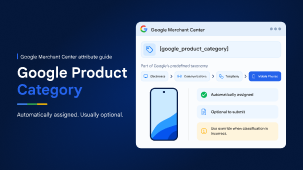
The Google product category [google_product_category] attribute identifies a product using Google's predefined taxonomy. You do not normally need to submit it: Google automatically assigns a category to products in Google Merchant Center. However, the assigned category needs to be accurate, particularly where category-specific requirements or Google Shopping campaign structures are involved.
How does Google Product Category work?
Google organises products into standard categories, from broad groups to more specific types. For example, a mobile phone may fall under the category path below. Unlike your website’s own category names, these values must come from Google’s published product taxonomy.

Electronics > Communications > Telephony > Mobile Phones
These predefined Google Shopping product categories help Google identify and classify products consistently.
Is the attribute required?
Submitting [google_product_category] is optional for most products. Google uses the product title, description, and other data to classify products automatically. You should review the resulting classification, rather than add the attribute to every feed by default. Some category-specific cases require particular category values or additional attributes.
When should you override Google’s category?
An override is appropriate when Google’s classification is wrong and affects category-specific attribute requirements, when you need to correct the category used in a supported Shopping campaign structure, or for certain regulated product categories such as alcoholic beverages. Google documents these as specific override scenarios, not a reason to replace all automatically assigned categories.
What format should you use?
Submit one predefined category per product, using either its numeric Google product category ID or the complete category path — not both. For example, “Electronics > Communications > Telephony > Mobile Phones” or the corresponding Google taxonomy ID. Do not submit only “Mobile Phones” or a custom store category. You can check the official Google product category list to find the correct value.
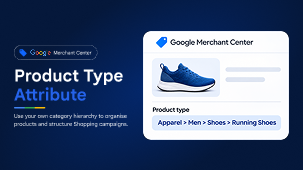
Google Product Category vs Product Type
|
Google Product Category |
Product Type |
|
Google-defined taxonomy |
Merchant-defined store hierarchy |
|
Automatically assigned; optional feed override |
Optional value supplied by the merchant |
For retailers managing large product catalogues, product feed optimisation can help maintain consistent product data and simplify updates across shopping channels.
How can an incorrect category affect your products?
If a product is placed in the wrong category, Google Merchant Center may ask for attributes that do not apply, or the product may fail category-specific checks. An invalid submitted category can also trigger an “Invalid product category” issue. These are reasons to investigate the classification, not to assume that every category difference causes disapproval.
How to check and correct a category
-
Open the affected product in Merchant Center and review its product details and any “Needs attention” issue.
-
Compare the category with the official Google taxonomy and identify the most specific accurate match.
-
If an override is justified, update [google_product_category] in your product data source or the applicable Merchant Center editing workflow.
-
After processing, check the product again and confirm the issue or classification has changed as expected.
One campaign detail worth knowing
Google Product Category can be used to organise Standard Shopping product groups in certain countries, including the UK and US. In other countries, Google directs advertisers to use Product Type for product-group bidding subdivisions. Check the country-specific guidance before designing a campaign structure around Google categories.
A quick final check
-
Is the assigned category accurate?
-
If you are overriding it, is the value an exact match to Google’s taxonomy?
-
Have you checked whether the product has category-specific attribute requirements?
At ShoppingIQ, we review category accuracy alongside Merchant Center diagnostics and the way products are organised in Shopping campaigns.
Official references:
FAQs
1. Is Google Product Category required in Google Merchant Center?
No, the Google Product Category attribute is optional for most products. Google Merchant Center automatically assigns categories based on product information. However, certain products require specific category values, so checking the assigned classification is important.
2. How do I find the correct Google Product Category ID?
You can find the correct Google Product Category ID in Google’s official product taxonomy list. Search for your product type and select the most specific relevant category. You can then submit either its numeric ID or its complete category path.
3. What is the difference between Google Product Category and Product Type?
Google Product Category uses Google’s predefined taxonomy to classify products, while Product Type allows merchants to create their own category hierarchy. Both attributes can help organise products, but they serve different purposes in Google Merchant Center.
4. How do I fix an invalid Google Product Category in Merchant Center?
To fix an invalid product category, review the affected product in Merchant Center and compare its submitted value with Google’s official taxonomy. Replace the invalid value with the correct numeric category ID or complete category path, then allow Google to process the update.
5. Can I change the Google Product Category assigned by Google?
Yes. You can override Google’s automatically assigned product category by submitting the [google_product_category] attribute in your product data. An override is generally recommended when the existing classification is incorrect or affects category-specific requirements or supported campaign structures.










No comments yet.